

Download Opera Neon – modern, visual web browser
Overview
Opera Neon re‑imagines what a web browser can look like in 2025. Developed by the Norwegian team behind the classic Opera suite, Neon departs from the familiar toolbar‑centric layout and embraces a full‑screen, desktop‑style workspace where every web page lives inside its own floating window. The design philosophy is simple: treat the browser itself as a canvas and let the content float freely, just like you would arrange windows on a traditional computer desktop.
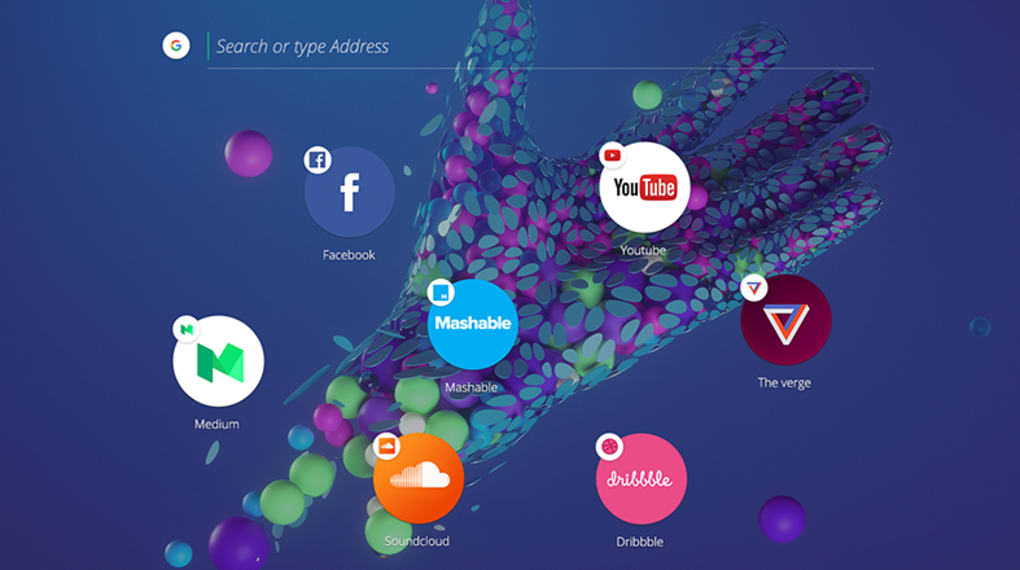
This visual approach makes multitasking feel natural – you can drag, resize, and snap pages without the clutter of permanent tabs or address bars. Neon also integrates several core Opera innovations, such as page‑wide zoom, built‑in search, and a quick‑access side panel for bookmarks that appear as circular icons that hover over the content. Because it’s built on the Blink engine, compatibility with modern web standards is rock‑solid, and the browser automatically updates to keep security patches current.
Whether you’re a designer looking for a fresh visual workspace or a power user who craves a more intuitive way to manage multiple sites, Opera Neon offers a free, secure, and constantly evolving environment that challenges the conventional tab‑based browsing paradigm.
Key Features
- Floating Circular Bookmarks: Bookmarks appear as translucent circles that hover over any page, allowing instant access without leaving the current view.
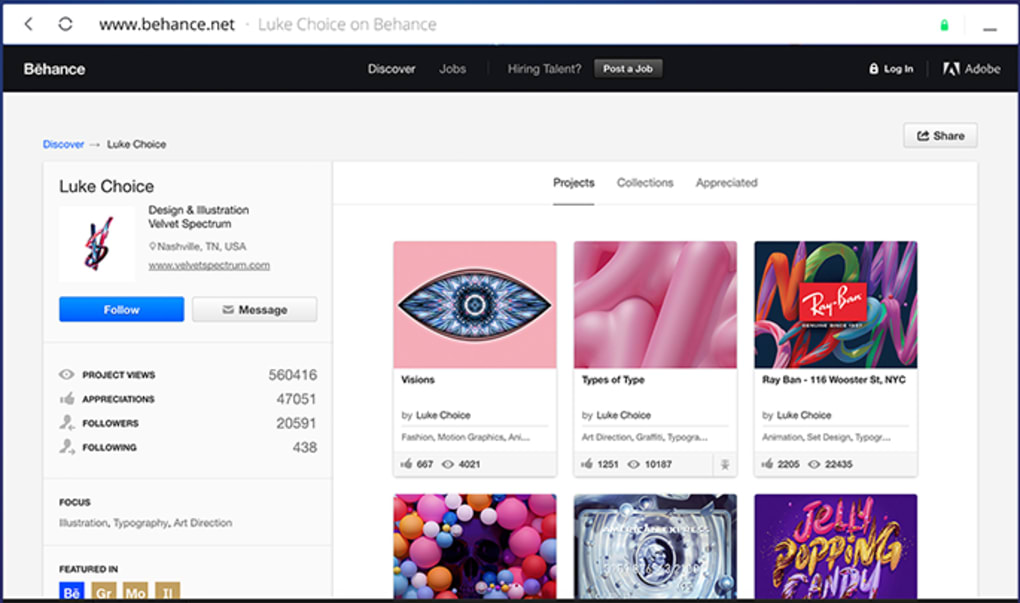
- Full‑Screen Windowed Pages: Each site opens in its own resizable window inside the browser, mimicking a desktop environment.
- Page‑Wide Zoom & Built‑In Search: Zoom the entire page with a single shortcut and search the web directly from the toolbar without opening a new tab.
- Side Panel for Quick Tools: Access extensions, downloads, and media controls from a collapsible side panel that never obscures content.
- Dynamic Backgrounds: Choose from animated wallpapers or let Neon adapt its background to the dominant colors of the currently active page.
- Lightweight Engine: Powered by Chromium’s Blink engine, Neon delivers fast page rendering while using less RAM than many mainstream browsers.
- Secure Updates: Automatic background updates ensure you always have the latest security patches without manual intervention.
- Cross‑Platform Sync (Beta): Sync your bookmarks and settings across devices when you sign in with an Opera account.
These features combine to create a browsing experience that feels less like navigating a single application and more like arranging a personal workspace. The floating bookmark system, for example, eliminates the need for endless tab bars; you simply click a circle to bring a page forward or drag it to a new spot. Meanwhile, the side panel keeps essential tools within reach, so you never have to pause your workflow to locate downloads or extensions. Neon’s emphasis on visual organization makes it especially appealing to creative professionals who spend hours juggling design mockups, documentation, and research sites. By keeping the interface minimal yet functional, Opera Neon maintains a balance between aesthetic flair and performance, ensuring that the visual enhancements never come at the cost of speed or stability.
Installation, Usage & Compatibility
Step‑by‑Step Installation
Getting Opera Neon onto your device is straightforward:
- Visit the official Opera Neon download page.
- Choose the installer that matches your operating system – Windows, macOS, or Linux (the latter via a .deb or .rpm package).
- Click “Download” and run the installer. On Windows, you’ll receive an .exe file; on macOS, a .dmg that you drag to your Applications folder.
- Follow the on‑screen prompts. The installer will ask if you’d like Neon to become your default browser – you can accept or skip this step.
- After installation, launch Opera Neon. The first run will trigger a quick “Welcome Tour” that showcases the floating bookmarks and side panel.
First‑Time Usage Tips
When you open Neon for the first time, you’ll notice a clean, borderless window. The address bar is hidden by default; simply press Ctrl + L (or ⌘ + L on macOS) to bring it up instantly. To add a page to the circular bookmark bar, click the star icon in the top‑right corner of the floating window; the bookmark will appear as a circle that you can drag anywhere on the screen. To open a new page, press Ctrl + N (or ⌘ + N) – a fresh window will pop up inside the same full‑screen workspace. Use the mouse wheel while holding Ctrl to zoom the entire page, or hit Ctrl + F to launch the built‑in search bar.
Compatibility
Opera Neon runs on the following platforms:
- Windows 10 and later: 64‑bit architecture is required; the installer automatically detects 64‑bit Windows and installs the optimized version.
- macOS 11 (Big Sur) and later: Supports both Intel and Apple Silicon (M1/M2) chips. The universal binary ensures native performance on all recent Macs.
- Linux distributions: Available as .deb (Debian, Ubuntu, Mint) and .rpm (Fedora, openSUSE) packages. The community also provides a portable AppImage for distributions without package manager support.
Because Neon uses the Chromium engine, it inherits the same level of HTML5, CSS3, and JavaScript compatibility as Google Chrome. This means that modern web applications, progressive web apps (PWAs), and multimedia sites work flawlessly. Users on older operating systems (e.g., Windows 7) may experience reduced performance, and the official installer does not support those versions.
Pros & Cons, FAQ & Final Verdict
Pros
- Visually innovative interface that boosts multitasking.
- Lightweight performance thanks to Chromium’s efficient engine.
- Free and regularly updated with security patches.
- Floating circular bookmarks keep navigation fast and clutter‑free.
- Built‑in page‑wide zoom and search streamline everyday browsing.
Cons
- Learning curve for users accustomed to traditional tab browsers.
- Some extensions are not yet optimized for Neon’s UI.
- Sync feature is still in beta and may experience occasional hiccups.
- Limited native support for mobile platforms (Android/iOS).
- Occasional visual glitches on older graphics drivers.
Frequently Asked Questions
Is Opera Neon completely free?
Yes, Opera Neon is offered as a free download with no hidden subscription fees. All core features, including the floating bookmarks and side panel, are available at no cost.
Can I import my existing bookmarks from another browser?
Absolutely. During the first‑time setup, Neon prompts you to import bookmarks from Chrome, Firefox, Edge, or Safari. The imported bookmarks will automatically convert into circular icons.
Does Opera Neon support extensions?
Neon can run most Chrome extensions, but the UI may need adjustments because the traditional toolbar is hidden. The side panel provides a convenient place to launch extension pop‑ups.
How secure is the browser?
Opera Neon receives automatic security updates through Chromium’s patch cycle. It also includes built‑in phishing and malware protection, and you can enable a VPN in the side panel for additional privacy.
Is there a mobile version of Opera Neon?
At present, Neon is only available for desktop operating systems. Opera’s regular mobile browsers (Opera for Android and iOS) continue to be maintained separately.
Final Verdict & Call to Action
Opera Neon stands out as a bold experiment in browser design, delivering a fresh visual workflow that feels more like a personal desktop than a conventional tabbed interface. Its free‑floating circular bookmarks and full‑screen windowed pages empower users to organize content intuitively, while the underlying Chromium engine guarantees speed and compatibility with modern web standards. Though the learning curve and limited mobile support may deter some, the benefits for creative professionals, developers, and anyone who enjoys a clutter‑free workspace outweigh the drawbacks. If you’re ready to break free from the tab‑overload of traditional browsers, download Opera Neon today and experience a new way to browse the web.







